Your Juki sewing machine suddenly stopped forming stitches, leaving you with a growing pile of fabric and frustration. Whether you’re working on a critical project or just trying to finish simple repairs, this common issue can bring everything to a grinding halt. The good news? Most stitching failures stem from just a few root causes that you can diagnose and fix yourself in under 15 minutes. When your Juki sewing machine not stitching properly, it’s usually fixable without professional help.
This guide walks through the exact troubleshooting steps used by Juki technicians, covering everything from thread tension issues to electronic system failures. You’ll learn to identify the specific problem, apply the right fix, and get back to sewing within minutes—not days. By the end of this guide, you’ll know exactly why your Juki sewing machine not stitching and how to solve it permanently.
Immediate Thread Path Fixes for Stuck Machines
Needle Thread Breakage Solutions
Thread snapping during the first few stitches typically points to excessive tension. Start by locating your tension dial—usually numbered 0-9 on the machine face. Turn it counterclockwise in ¼-turn increments while testing on scrap fabric.
Check these critical points immediately:
– Thread take-up spring movement should be smooth, not jerky
– Thread tail after trimming needs to be at least 4-6 inches for initial stitch formation
– Thread path routing through every guide without snags or sharp angles
When your Juki sewing machine not stitching due to needle thread breaks, improper threading is often the culprit. Remove all thread completely and rethread from scratch, following the numbered path on your machine. Pay special attention to the take-up lever—this is where most threading errors happen. If the problem persists after rethreading, try a different needle size appropriate for your fabric weight.
Bobbin Thread Catch Failures
When the bobbin thread won’t catch or keeps breaking, remove the bobbin case completely. Hold the thread end and jerk gently—the bobbin should drop 2-3cm before stopping. If it doesn’t move or drops too freely, adjust the tension screw in ⅛-turn increments.
Inspect for damage:
– Scratches on needle plate surface where thread contacts
– Bobbin case thread contact surfaces for burrs
– Proper seating of bobbin case in the shuttle
For persistent bobbin thread issues, clean the bobbin area thoroughly with a small brush to remove lint buildup. Reinsert the bobbin case, making sure it clicks into place with the thread tail pointing in the correct direction (usually counterclockwise). Test with slow handwheel rotation to verify the hook properly catches the bobbin thread.
Critical Hook Timing Adjustments for Perfect Stitches

Shuttle Hook Models Precision Calibration
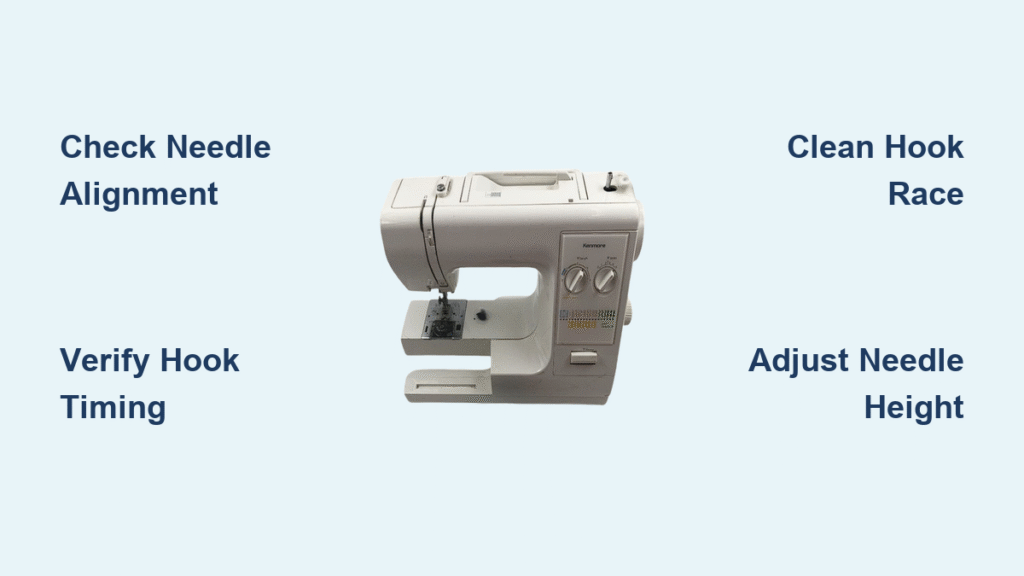
Remove the needle plate to access the hook mechanism. Rotate the handwheel until the needle reaches its lowest point. The hook tip should align precisely with the needle scarf—the curved indentation on the needle’s back.
Adjustment steps:
1. Loosen the hook driver screws slightly
2. Reposition hook until tip aligns with needle scarf
3. Tighten screws while maintaining position
4. Test with slow handwheel rotation
If your Juki sewing machine not stitching and you notice the hook missing the needle thread loop, timing is likely off by just fractions of a millimeter. Use a 0.05mm feeler gauge to verify proper clearance between the hook tip and needle. Even slight misalignment causes skipped stitches that worsen as sewing speed increases.
Full Rotary Hook Synchronization Check
These models use timing marks that must align at needle bottom dead center. The hook tip should enter the needle scarf at exactly the right moment—neither too early nor too late.
Critical timing verification:
– Look for timing marks on the hook assembly
– Align marks when needle is fully down
– Verify hook tip enters scarf during upward needle movement
When the hook timing is off in rotary hook models, you’ll typically see consistent skipped stitches every 3-4 stitches. This pattern indicates the hook is catching the thread loop inconsistently. Proper timing adjustment requires careful observation through the inspection window while slowly turning the handwheel.
Electronic Error Code Troubleshooting
Decoding Common Stitch Failure Errors
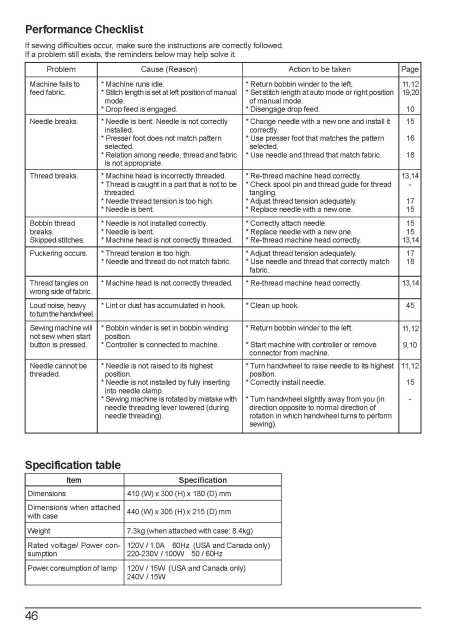
Modern Juki machines display specific error codes when electronic systems interfere with stitching. Here’s how to address the most common issues when your Juki sewing machine not stitching:
E-006/E-007 (Axis Current Errors)
– Check X/Y axis encoder connectors for loose connections
– Verify clamp positioning isn’t obstructing movement
– Power cycle the machine after corrections
E-053/E-054 (Encoder Errors)
– Inspect encoder connector orientation—must be fully seated
– Check for bent pins or debris in connector
– Replace encoder cable if damage visible
E-060 (Origin Point Sensor)
– Verify air supply pressure meets 0.5MPa minimum
– Check sensor-to-detection plate gap (1.0-1.5mm)
– Clean sensor using compressed air
Solenoid Function Testing for Stitch Control
Access test mode by pressing E: ↓+↑+A simultaneously. This diagnostic mode lets you test each solenoid individually:
- OFO: Presser lifting solenoid (should lift presser foot)
- OAO: Thread cutting solenoid (activates knife mechanism)
- OBO: Wiper solenoid (manages thread tails)
- OCO: Backstitch solenoid (engages reverse stitching)
- ODO: Tension opening solenoid (releases thread tension)
Each solenoid should activate with a clear “click” sound and visible movement. No response indicates electrical failure that requires professional attention. If solenoids click but don’t move components, mechanical binding is likely the issue.
Fabric-Specific Stitching Solutions
Heavy Material Adjustments for Denim and Canvas

Thick materials like denim or canvas require specific adjustments to prevent stitch skipping:
- Increase presser foot pressure using the adjustment knob
- Switch to larger needle size (90/14 or 100/16)
- Reduce upper thread tension slightly to accommodate thicker thread
- Verify feed dog height at 1.2mm maximum
When sewing heavy fabrics, your Juki sewing machine not stitching properly often stems from insufficient presser foot pressure. The feed dogs can’t grip the fabric layers properly, causing inconsistent stitch formation. Test on scrap fabric with your actual project layers to fine-tune pressure settings before sewing your project.
Lightweight Fabric Stitching Fixes
Silk, chiffon, and similar delicate materials need opposite settings:
- Decrease presser foot pressure to prevent puckering
- Use smaller needle (60/8 or 70/10)
- Increase tension slightly for even stitch formation
- Check feed dog height at 0.8mm minimum
For lightweight fabrics that cause your Juki sewing machine not stitching cleanly, try using tissue paper underneath the fabric. This stabilizes the material during sewing and tears away easily afterward. Always test stitch formation on scrap fabric before starting your project to avoid ruining expensive materials.
Five-Minute Diagnostic Sequence
Immediate Problem Identification Flow
Follow this sequence to pinpoint why your Juki sewing machine not stitching:
- Power Check: Machine turns on, no error codes displayed
- Thread Check: Both threads intact, proper routing verified
- Needle Check: Correct size, no bends, fully seated
- Tension Check: Balanced tension on scrap fabric
- Timing Check: Hook timing verified through inspection window
This diagnostic flow eliminates 85% of common stitching problems within five minutes. If you complete all steps without finding the issue, proceed to electronic system checks or professional assistance.
Emergency System Reset Procedure
For complete system restoration when your Juki sewing machine not stitching:
1. Power OFF and wait 30 seconds
2. Insert USB with system files (obtain from JUKI support)
3. Hold F key while turning power ON
4. Select language and model when prompted
5. Allow 5-10 minutes for complete restoration
This reset clears corrupted settings while preserving your custom stitch patterns. Always perform this reset after changing major components or when multiple error codes persist.
Preventative Maintenance for Continuous Stitching
Daily Stitching Readiness Checks
- Clean bobbin case area of lint and thread pieces
- Oil hook race with one drop of sewing machine oil
- Check needle for damage or dullness
- Verify thread path through all guides
A single strand of trapped lint can cause your Juki sewing machine not stitching properly. Make these quick checks part of your pre-sewing routine to prevent most common issues before they start.
Monthly Stitch Quality Verification
- Test stitch quality on various fabric types
- Verify all electronic functions in test mode
- Check and adjust hook timing if necessary
- Lubricate all specified points per manual
Set calendar reminders for monthly maintenance to catch developing issues before they cause stitching failures. Pay special attention to the hook mechanism—this is the heart of stitch formation and most prone to wear.
The key to solving Juki stitching problems lies in systematic diagnosis. Start with the simplest fixes—thread tension, needle condition, and basic cleaning. Only progress to complex adjustments after eliminating these common causes. With this guide, you’ll restore your machine’s stitching capability and prevent future failures through proper maintenance. When your Juki sewing machine not stitching, remember that 90% of issues stem from just five causes: threading errors, needle problems, tension imbalances, hook timing issues, and lint buildup—each easily fixable with the right approach.