You’re halfway through a beautiful quilt when you realize your standard presser foot won’t handle the multiple fabric layers. Or maybe you’re trying to insert a zipper and your machine just won’t cooperate. The solution? Changing your Brother sewing machine’s presser foot. This simple skill unlocks dozens of specialized techniques that transform your sewing capabilities. Whether you own a basic LX model or a high-end embroidery machine, knowing how to change your presser foot properly ensures perfect results for every project.
Most Brother machines use a snap-on system that takes just seconds once you know the technique. But if you’ve ever struggled with a foot that won’t release or an attachment that wobbles during sewing, you understand why proper technique matters. This guide covers every Brother model’s specific requirements so you can switch feet confidently and get back to creating professional-quality results.
Power Down Procedure Before Foot Changes
Never attempt a foot change while your Brother sewing machine is powered on – this is the single most important safety step. Accidental needle movement during foot changes causes broken needles and potential injury. Start by turning off your machine using the main power switch, then unplug it completely from the wall outlet. Next, raise the needle to its highest position by turning the handwheel toward you (counterclockwise) or pressing your model’s needle up button. Finally, lift the presser foot lever fully to release tension on the current foot.
Why This Sequence Matters
Skipping even one of these steps creates risks. A partially raised needle can catch fabric when you change feet, while a lowered presser foot keeps tension on the attachment mechanism. If you’ve ever wondered why your foot sticks during removal, improper needle and foot lever positioning is usually the culprit. For computerized models, this sequence also resets internal sensors that detect foot type.
Snap-On Presser Foot System: Most Brother Models

The snap-on system used by 90% of Brother sewing machines makes foot changes quick and tool-free. However, many beginners apply pressure in the wrong direction or miss critical alignment steps.
Removing Your Current Presser Foot
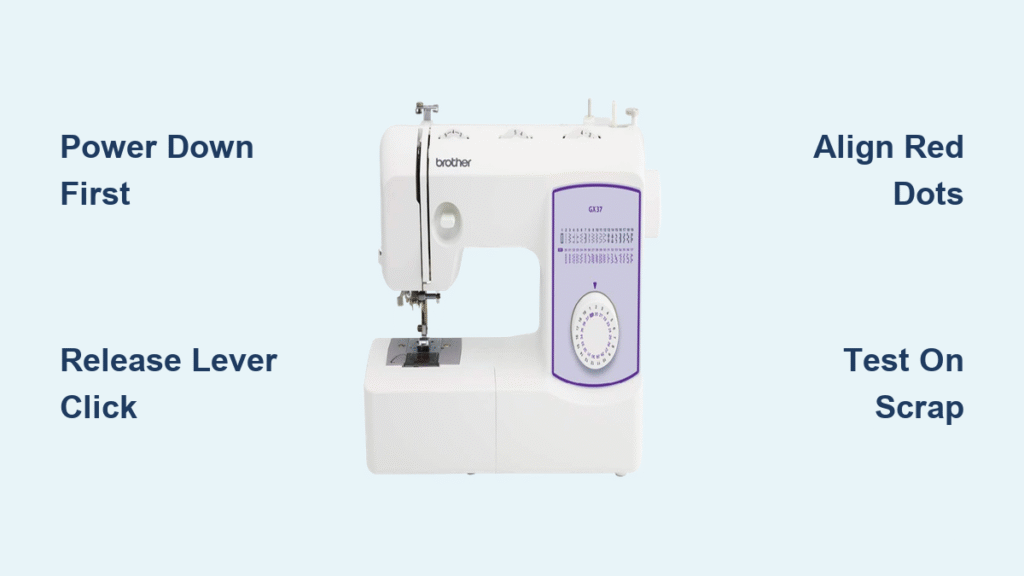
Stand directly in front of your machine with good lighting. Locate the presser foot holder at the bottom of the presser bar – this metal component connects to the presser foot lifter. While supporting the foot with your right hand (to prevent dropping), find the release lever at the back of the holder. Press this lever firmly with your left thumb until you hear a distinct click. The foot should drop free – continue holding it until you’ve safely set it aside.
Installing a New Snap-On Foot Correctly
Select your specialized foot (zipper, buttonhole, quilting, etc.) and hold it with the flat side facing the machine’s back. Position the foot’s metal bar just below the presser foot holder at a slight angle. Push upward firmly until you hear it snap securely into place. Critical check: Gently tug downward on the foot – if it moves or wobbles, it’s not fully seated. Properly installed feet should feel solid with no movement.
Screw-On Presser Foot System: Older Brother Models
Vintage Brother machines and some industrial models use screw-on attachments requiring extra precision during installation.
Loosening Without Damaging Your Machine
Locate the presser foot screw on the left side of the holder. Using your machine’s included screwdriver, turn counterclockwise just 2-3 rotations – never remove the screw completely. This releases enough tension to slide the foot backward and downward off the holder. If the screw resists, apply gentle heat from a hair dryer for 10 seconds to expand the metal before trying again.
Securing New Screw-On Feet Without Overtightening
Slide your new foot forward and upward into position. Hold it steady while turning the screw clockwise until snug – stop immediately when resistance increases. Overtightening strips screws or cracks plastic feet, creating alignment issues. Test by lowering and raising the presser foot lever once before sewing to ensure smooth operation.
Model-Specific Foot Change Techniques
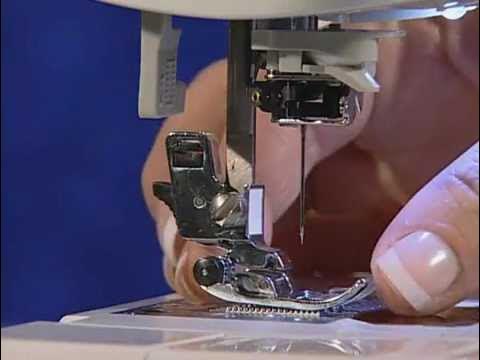
Each Brother series has unique characteristics affecting presser foot changes. Knowing your model’s quirks prevents frustration and damage.
CS Series: CS6000i/CS7000i Computerized Models
These machines feature automatic needle positioning and sensor detection. Always use the needle up button before changing feet – manual handwheel positioning confuses the system. The presser foot holder has red dot indicators that must align with matching dots on compatible Brother feet. The release lever requires firmer pressure than mechanical models, so press until you feel definite resistance release.
SE Series: SE600/SE1900 Embroidery Machines
When switching between sewing and embroidery modes, change to the correct foot type first. These machines detect incompatible attachments and will display error messages if you try to embroider with a standard foot. The specialized embroidery foot has a “P” marking (for plastic) and must be fully seated before the machine recognizes it. Never force the foot – partial attachment triggers error code E5.
XR Series: XR3774/XR9550 High Shank Models
These machines require special attention to bobbin cover positioning. Close the bobbin cover completely before changing feet – an open cover physically blocks the presser foot mechanism. High shank feet sit higher than standard ones, so angle your installation more steeply (about 45 degrees) and push upward with firm, steady pressure until fully seated.
Specialized Feet Installation Tips
Certain presser feet require additional steps beyond standard attachment procedures.
Walking Foot Setup for Multiple Fabric Layers
Remove your standard foot completely by loosening the presser foot screw. Position the walking foot’s fork arm around the needle clamp screw – this connection drives the foot’s walking mechanism. Secure using the provided thumbscrew, tightening just until resistance increases. Pro tip: Test on scrap fabric first to ensure both feed dogs are moving fabric evenly.
Quarter Inch Quilting Foot Precision Alignment
Install the SA125 foot normally, then align the guide bar parallel to your needle plate markings. Even 1-2mm misalignment affects seam accuracy in quilting projects. The guide bar should run exactly perpendicular to your fabric edge. Critical check: Measure seam allowance on scrap fabric before starting your project.
Troubleshooting Common Foot Change Problems
Even experienced sewers encounter issues during presser foot changes. These solutions fix the most frequent problems.
Foot Won’t Release: Three Quick Fixes
Check these in order: 1) Presser foot lifter fully raised, 2) Thread caught in holder mechanism, 3) Debris blocking release. Gently rock the foot side-to-side while pressing the release lever. For stubborn attachments, warm the area with a hair dryer for 15 seconds to expand the metal, then try again. Never use excessive force – this can bend the presser bar.
Attachment Issues: Why Your Foot Won’t Seat Properly
Verify compatibility first – generic presser feet often don’t fit Brother machines correctly. Clean the holder with a soft brush to remove lint buildup. Check orientation – the foot’s bar must face the correct direction (flat side toward machine back). Inspect for damage – bent holders need professional repair. If your foot still won’t attach, consult your manual for model-specific requirements.
Maintenance After Every Foot Change
Proper care after each foot change extends your machine’s lifespan and ensures consistent performance.
Immediate Post-Change Procedures
After installing a new foot, lower and raise the presser foot lever once to test operation. Run the machine slowly on scrap fabric to verify proper feeding. Always check needle position – some models require resetting the needle position after foot changes. For computerized machines, verify the correct foot type appears in the display.
Monthly Maintenance Routine
Brush lint from the presser foot holder area after each use. Monthly, apply one drop of sewing machine oil to the holder’s moving parts, then run the machine without thread for 30 seconds. Store removed feet in labeled compartments – specialty feet like the 1/4″ quilting foot often get misplaced without proper organization.
Master Your Machine’s Advanced Features
Specialized presser feet work best when paired with your Brother machine’s complementary features.
Automatic Pressure Adjustments for Specialty Feet
Computerized Brother models allow pressure changes via settings menu. Reduce pressure by 1-2 settings when using specialty feet on lightweight fabrics like silk. Increase pressure by 2-3 settings when using walking or thick fabric feet on denim or leather. These adjustments prevent fabric puckering or skipping stitches.
Dual Feed System Compatibility Checks
DreamWeaver series machines require disengaging dual feed before foot changes. After installing a new foot, realign the dual feed mechanism by lowering the presser foot and turning the handwheel slowly while watching the feed dogs. Proper alignment prevents feed dog damage and ensures even fabric feeding.
Ready to tackle any sewing project with confidence? Changing your Brother sewing machine’s presser foot becomes second nature with practice. Remember these key steps: always power down first, support the foot during changes, and test each attachment before starting your project. With these techniques mastered, you’ll seamlessly switch between zipper insertion, perfect buttonholes, and intricate quilting. Your machine’s full potential awaits – one presser foot change at a time. Keep this guide handy for your next sewing session, and soon you’ll be changing feet faster than you can thread your needle.